AI art generator
AI Anime Generator for Original Characters and Scenes
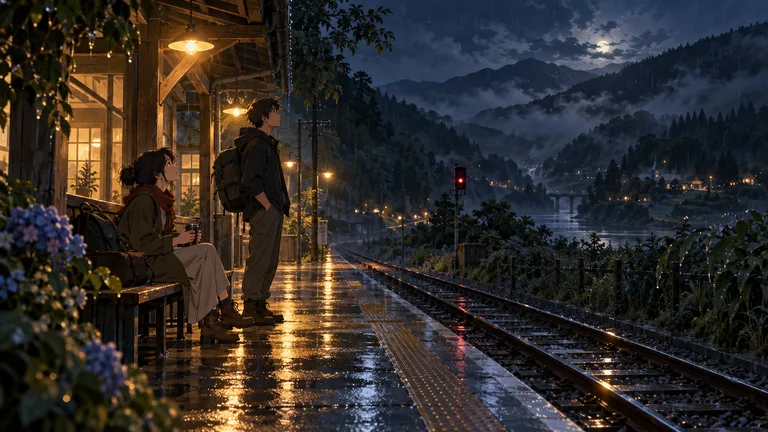
Design anime-inspired characters, backgrounds and key-art scenes of your own invention. OpenDream AI works with the visual language of the medium, such as cel shading, expressive eyes and clean line work, rather than imitating named studios or existing characters, so what you make is yours to build on.
Made with OpenDream
How it works
- 01
Invent the character first
Write down hair shape, eye color, outfit layers and one signature prop before you prompt. Anime designs read through silhouette, so a distinctive hairstyle or coat shape matters more than adjectives like 'cute' or 'cool'.
- 02
Describe the rendering, not a studio
Ask for cel shading, flat color with hard shadow edges, thin clean line art or soft painted backgrounds. These craft terms give the model a clear target and keep the output original instead of pointing at someone else's work.
- 03
Lock the look with references
Once you like a result, feed it back as a reference image with Nano Banana 2, which accepts up to 14 of them. References help keep the face and outfit consistent when you move the character into new poses and scenes.
Why create AI anime generator with OpenDream
Character sheets
Ask for front, side and back views on a plain background in a 16:9 frame. A turnaround gives you material to reference later and exposes design problems, like an outfit that only works from one angle.
Painted backgrounds
Anime environments often pair soft, painterly skies with crisp foreground figures. Generate the background on its own first, then place a character into it with the plain-language editor.
Key-art compositions
Low camera angles, wind-blown hair and a strong diagonal give the dramatic framing typical of series posters. Try 2:3 for a vertical poster or 21:9 for a wide banner.
Expression studies
Generate the same character with several expressions in one run, up to 4 images per generation depending on your plan, and pick the one that fits the moment.
Getting a clean anime look without borrowing someone else's
Anime-inspired art rests on a handful of conventions: simplified facial anatomy with large, detailed eyes, hair drawn as clumped shapes rather than strands, and shading built from one or two flat tones with sharp edges. When a prompt names those conventions directly, the model has something concrete to aim for. When it names a studio, a director or a franchise, you get a muddy imitation at best and an image you cannot safely use at worst. The goal here is original characters, so keep prompts about technique.
Line weight does much of the work. Ask for 'thin, even line art' for a modern digital look, or 'varied line weight, thicker on the outer contour' for something closer to hand-inked cels. Pair line instructions with a color plan: three or four hues plus a single shadow tone stops a character from drifting toward generic fan art.
Backgrounds follow a different rule. Many anime frames set a detailed, softly painted environment behind a crisply outlined character, and that contrast is what sells the shot. If a model blends the two into one flat style, create the environment alone first, then use it as a reference or ask the editor to add the character in plain words.
Hands, layered clothing and accessories are where these images tend to break. Keep poses simple on the first pass, inspect fingers and buckles at full size, and correct small errors with the editor rather than rerolling the whole image. Upscaling after the fix keeps line art sharp if you plan to print.
Prompt examples
Original courier key art
Anime-inspired key art of an original courier in her twenties with a short silver bob and a yellow rain jacket, riding a scooter through a rainy harbor town at dusk, cel shading, thin clean line art, soft painted sky, low camera angle, vertical poster composition
Every visual cue is invented and specific, and the rendering is described in craft terms, so the model has no existing character to fall back on.
Try this promptSwordsman turnaround sheet
Character turnaround sheet of an original anime-style swordsman, front, side and back views on a plain light gray background, long dark green coat with brass buttons, messy black hair tied low, flat color with one shadow tone, consistent proportions across all views
A plain background and three named views produce a sheet you can reuse as a reference image for later scenes.
Try this promptRooftop garden background
Anime background painting of an empty rooftop garden at golden hour, potted tomato plants, a water tank, laundry lines, distant apartment blocks, soft painterly clouds, warm light, no characters, wide 16:9 frame
Leaving figures out lets the model concentrate on the painted environment, which you can later drop a character into.
Try this promptLibrarian expression sheet
Head-and-shoulders expression sheet of an original anime-style librarian with round glasses and a braided auburn ponytail, four expressions: calm, surprised, laughing, annoyed, clean line art, pastel flat colors, white background
Listing the expressions in one prompt keeps the face matched across variations and quickly tests whether the design holds up.
Try this promptNeon rooftop action frame
Dynamic anime-style action frame of an original messenger leaping between neon-lit rooftops at night, motion lines, dramatic foreshortening, hard cel shadows, cyan and magenta rim light, rain streaks, wide 21:9 cinematic crop
Motion lines and foreshortening are staging tools of the medium; naming them adds energy without copying a known scene.
Try this prompt
Frequently asked questions
- Can I generate characters from existing anime series?
- No, and the examples here avoid it on purpose. The tool is meant for original work, so describe the style through technique, like cel shading or line weight, and invent your own cast. Imitating named studios or copyrighted characters also makes an image risky to publish or sell.
- How do I keep my character looking the same across images?
- Use your strongest result as a reference image. Nano Banana 2 takes up to 14 references, and supplying a turnaround plus a face close-up helps keep a character consistent. Expect small drift in accessories and fix it with the editor.
- Which aspect ratio suits anime art?
- 2:3 or 9:16 for character posters and phone lock screens, 16:9 for scenes and turnaround sheets, and 21:9 for cinematic banners. Choose before generating, because cropping afterwards cuts into the composition.
- Why do hands and small props look wrong?
- Fine details are the hardest part for image models, especially in busy poses. Simplify the pose, then describe the correction in the editor, for example 'make her left hand hold the umbrella handle with four visible fingers'.
Keep exploring
Ready to create?
Pick a plan and you only spend credits on images you actually receive.
Start creating